How to Join Mineland
Joining Mineland takes just a couple of minutes: launch Minecraft, add the server and register. Here's every step, and there's a gift for new players at the end.
Minecraft 1.8 and newer
Step-by-step guide
Launch Minecraft 1.8 or newer. Don't have the game yet? Download the official Minecraft Launcher.
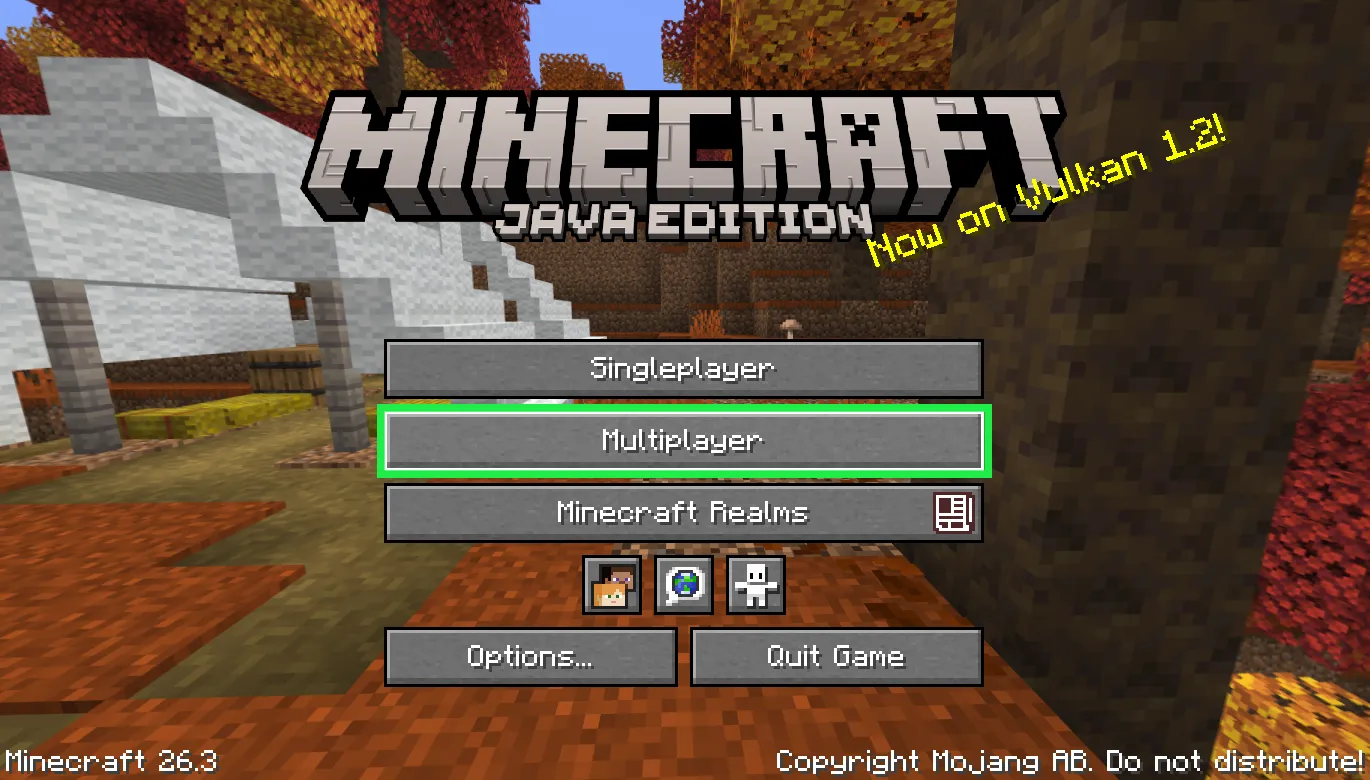
In the main menu, click "Multiplayer".
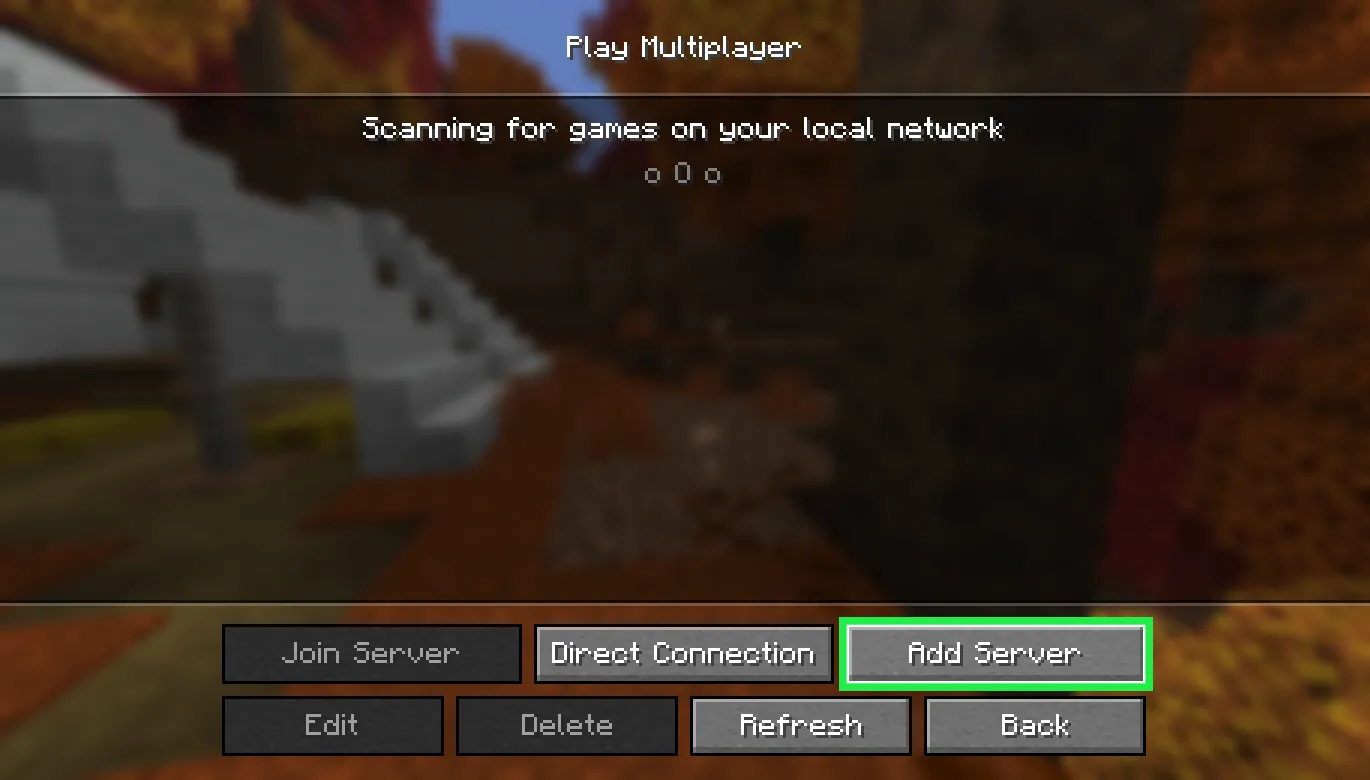
Click "Add Server".
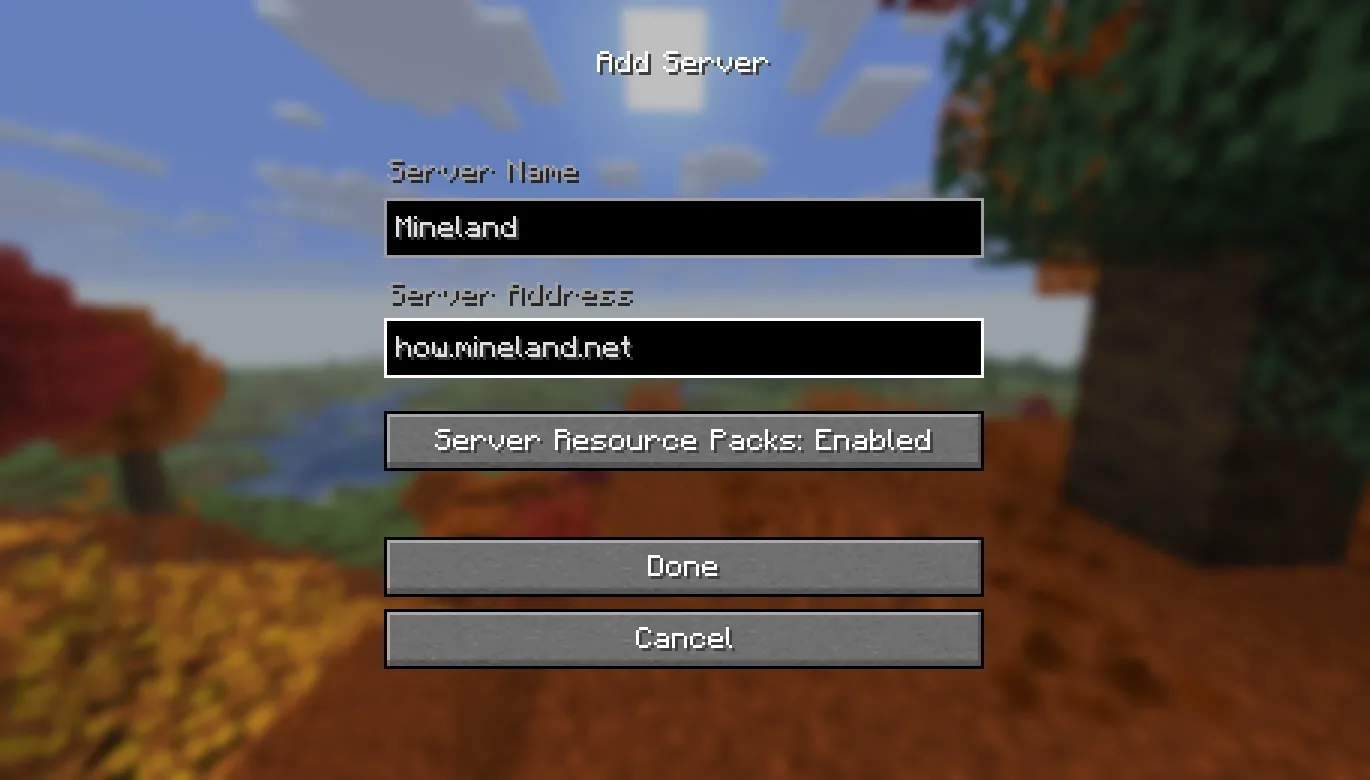
Enter any server name, paste how.mineland.net into the "Server Address" field and click "Done".
The server now appears in the list: select it and click "Join Server".
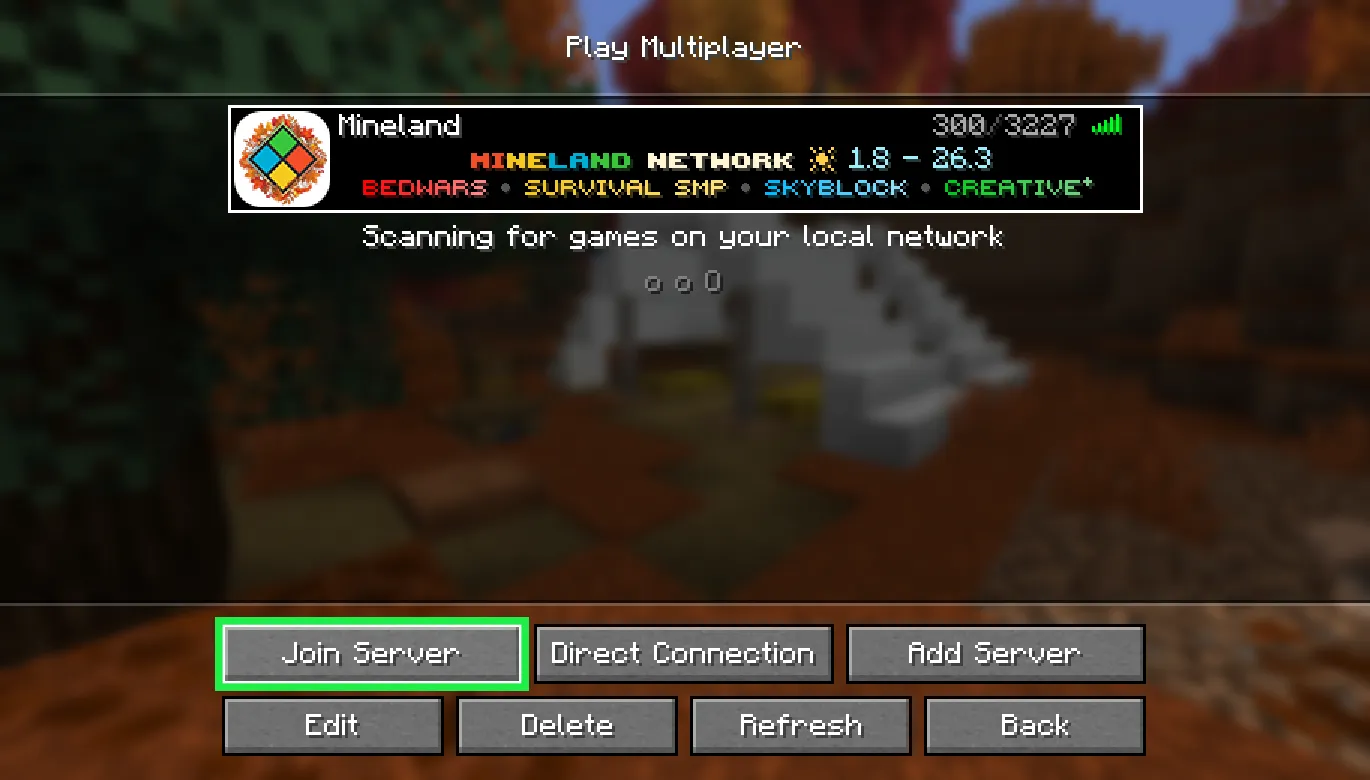
Register on the server with /reg <password> <password>, typing your password twice. Pick one you'll remember: you'll need it every time you join.
From then on, log in with /login <password> every time you join.
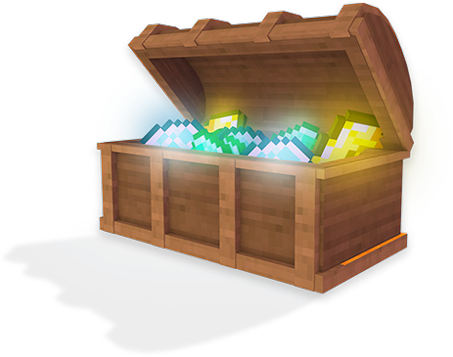
Now for the fun part: type /bonus in chat and claim your welcome gift.
FAQ
What is the Mineland IP?
It's how.mineland.net. If you forget, it's always on the Server IP page.
Which version can I play on?
Any version from 1.8 onwards. Only Survival SMP requires 1.21 or newer; see the Versions page for details.
What's the gift for new players?
It's our little “secret command” for newcomers: register, type /bonus in chat and claim it. What's inside? We won't tell. See for yourself 😉
What do I get for voting?
Every vote on a server list earns you an in-game reward, and whoever votes the most in a month wins a Minecraft license. See where to vote on the Vote page.
Can't connect?
First, check the address: a single typo and you won't be able to connect. Your game version must be 1.8 or newer. Still stuck? Contact our support team and we'll sort it out.